Dual-Band Router Set Up But 5GHz Isn't Showing Up? Here's the Fix
Wednesday, Sep 23, 2026 · 2 minutes


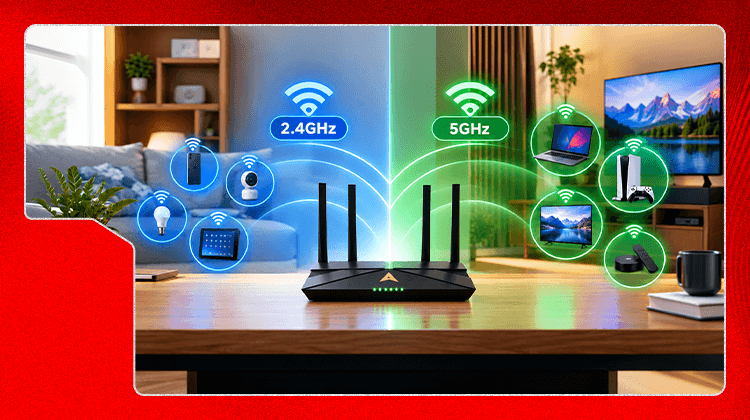
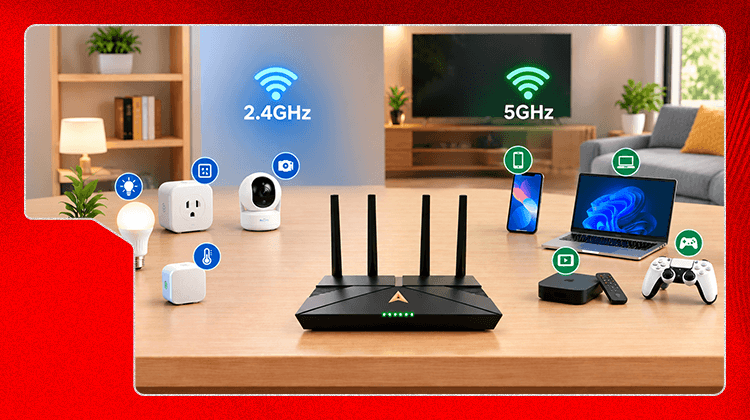
You've split your bands and set two separate network names, but one device still won't see the 5GHz network. This is one of the most common points people get stuck at, and it's rarely the router's fault. There are three real causes, and each has a different fix.
This is the most common cause and the easiest to miss. Older phones, budget smart TVs, and some laptops from before 2015 to 2017 only have 2.4GHz radios — no amount of router configuration will make 5GHz appear on them, because the hardware physically can't receive that signal.
Look up your device's wifi specification (search "[device model] wifi specs"). If it lists only "802.11 b/g/n" and not "a/ac/ax," it doesn't support 5GHz. That device should stay on the 2.4GHz network — this isn't a problem to fix, just something to know.
5GHz has a shorter range than 2.4GHz and loses strength faster through walls and floors. A device that shows both networks in the same room as the router might only show 2.4GHz two rooms away, simply because the 5GHz signal has dropped below the point where it's usable.
Stand closer to the router and scan for networks again. If 5GHz appears, this was a range issue, not a configuration issue.
Sometimes turning off Smart Connect doesn't fully apply, especially after a firmware update, and the router quietly goes back to combining the bands under the 2.4GHz name.
Log back into the router admin panel and confirm the two SSIDs are still listed separately with different names. If they've merged back into one, turn off Smart Connect again and save.
Restart the router. A stuck broadcast is uncommon but not impossible, and a restart resolves it more often than any settings change does.
Once 5GHz is showing correctly, decide which devices should actually use it in our main dual-band guide. If you haven't split your bands yet, start with "How to Split Your Dual-Band Router Into Two Separate Wifi Networks."

Lead has been submitted successfully.
 Please wait while we redirect you
One of our representatives will reach out to you shortly
One of our representatives will reach out to your shortly
Please wait while we redirect you

Please enter your registered phone number to proceed
Please enter correct OTP to proceed

Dear customer you are successfully subscribed
Please wait while we redirect you
Your ACT Shield subscription has been successfully deactivated
Please wait while we redirect you
Dear user, Your account doesn't have an active subscription
Please wait while we redirect you
Dear customer Entertainment pack is already activated.
Please wait while we redirect you