Why Your Smart Home Devices Only Connect to 2.4GHz (And If That's a Problem)
Wednesday, Sep 23, 2026 · 2 minutes


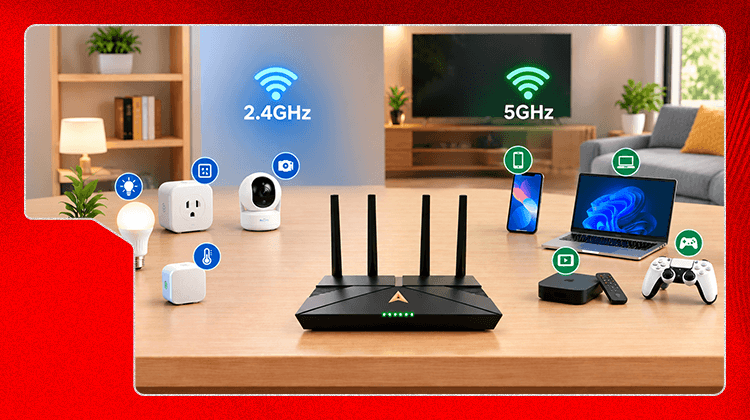
If you've noticed your smart bulbs, plugs, or camera never show up as an option on your 5GHz network, that's not a defect and it's not something you missed during setup. It's how nearly all smart home devices are built, and there's a straightforward reason for it.
Not by itself. The device working on 2.4GHz is expected and fine. It becomes a problem only when 2.4GHz gets overloaded — too many smart devices, plus phones, plus older laptops, all competing for the same band — and then even simple devices like a smart plug start dropping connection or responding slowly.
If your smart home devices keep disconnecting, the usual cause isn't the device or the band choice, it's that heavier devices are also sitting on 2.4GHz and crowding it out. Splitting your bands and deliberately moving laptops, streaming boxes, and gaming consoles to 5GHz — leaving 2.4GHz mostly to smart home devices — is what actually resolves this.
Device allocation across bands is covered in our main dual-band guide (actcorp.in/blog/what-is-dual-band-wifi-router-its-benefits. If you're wondering whether keeping two separate networks is worth the hassle given your device mix, see "Should You Merge Your 2.4GHz and 5GHz Networks Back Into One?"

Lead has been submitted successfully.
 Please wait while we redirect you
One of our representatives will reach out to you shortly
One of our representatives will reach out to your shortly
Please wait while we redirect you

Please enter your registered phone number to proceed
Please enter correct OTP to proceed

Dear customer you are successfully subscribed
Please wait while we redirect you
Your ACT Shield subscription has been successfully deactivated
Please wait while we redirect you
Dear user, Your account doesn't have an active subscription
Please wait while we redirect you
Dear customer Entertainment pack is already activated.
Please wait while we redirect you